Find out how easy it is to capture and share pixel-perfect screenshots at scale using Allscreenshots. Sign up for a free account and start integrating your first screenshot API call today.
AC
Alex Chen
Full-stack developer and technical writer who loves browser automation and making complex tools accessible.
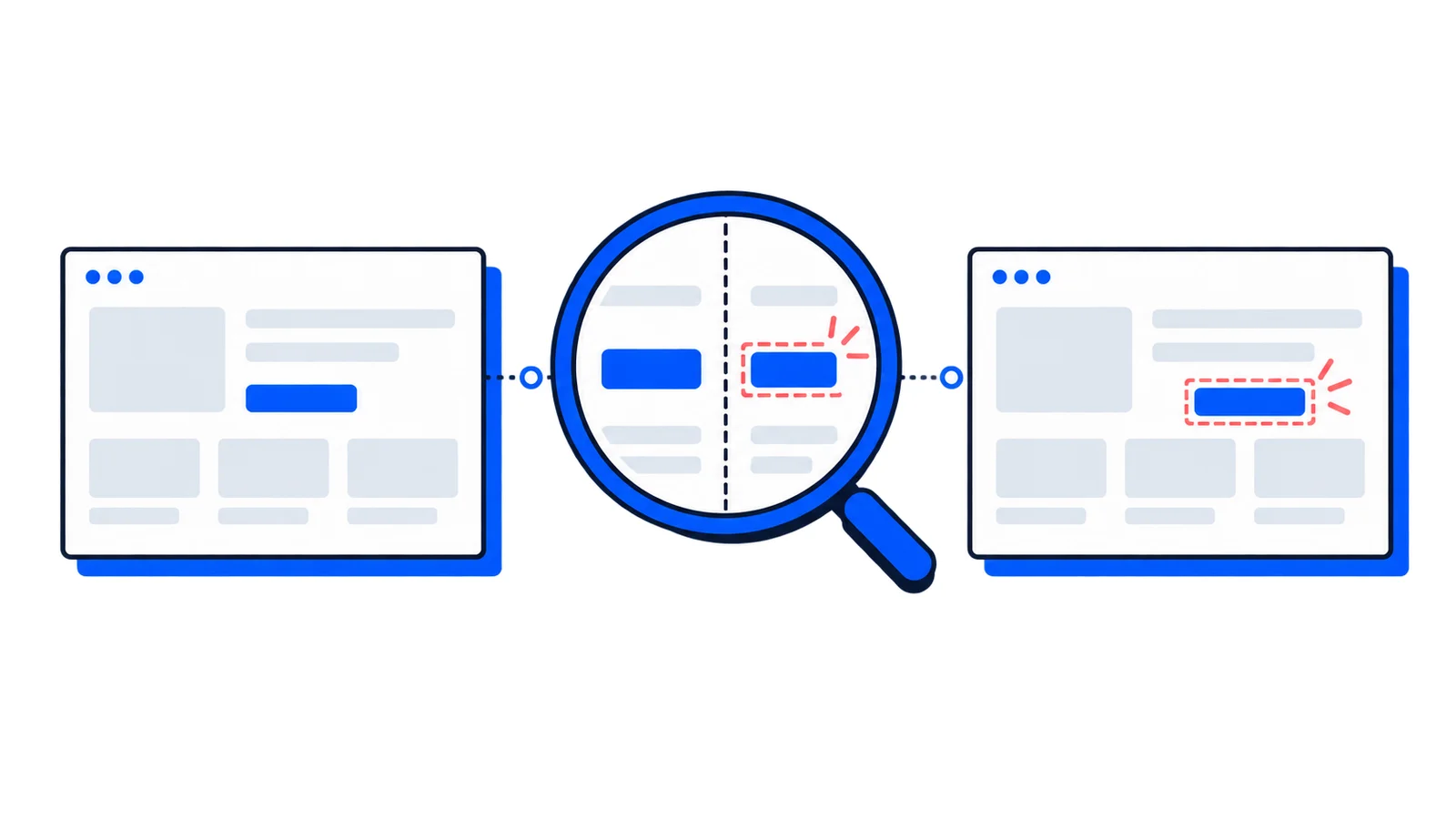
Visual regression testing is a quality assurance technique that detects unintended changes in your application's appearance. It works by comparing screenshots of your UI before and after code changes, flagging any visual differences for review.
Think of it as a safety net for your design. Unit tests verify logic. Integration tests confirm systems work together. Visual regression tests ensure your UI actually looks correct.
The Problem It Solves
CSS is globally scoped by default. A style change in one component can ripple across your entire application in unexpected ways. Consider these common scenarios:
A developer updates a button's padding, accidentally affecting every button in the app
A dependency update subtly changes font rendering
A z-index fix on the navbar causes dropdown menus to appear behind other elements
A responsive breakpoint adjustment breaks layouts on specific screen sizes
These bugs slip past traditional tests because the code technically works. The button still clicks. The menu still opens. But visually, something is wrong, and users notice.
Visual regression testing is especially valuable for design systems and component libraries, where a single change can affect hundreds of consuming applications.
How It Works
The process follows a simple pattern:
Establish baselines: Capture screenshots of your UI in a known-good state. These become your reference images.
Run tests: After making changes, capture new screenshots using the same conditions (viewport size, browser, test data).
Compare images: Diff the new screenshots against baselines pixel-by-pixel. Any differences get highlighted.
Review and decide: A human reviews flagged differences. Intentional changes become new baselines. Unintentional changes get fixed.
The key insight is that not all differences are bugs. Sometimes you changed the design intentionally. The goal is to make visual changes explicit and reviewable, not to prevent all changes.
Types of Visual Differences
Visual testing tools typically detect and report these kinds of changes:
Type
Example
Typical Cause
Layout shifts
Elements moving position
CSS changes, content changes
Color changes
Different backgrounds, text colors
Theme updates, CSS overrides
Typography
Font size, weight, or family changes
CSS updates, font loading issues
Missing elements
Components not rendering
Conditional logic bugs, imports
New elements
Unexpected content appearing
State management issues
Sizing changes
Elements growing or shrinking
Padding, margin, or box-model changes
Comparison Methods
Not all visual testing works the same way. The three main approaches each have trade-offs:
Pixel-by-pixel comparison
The most straightforward approach. Every pixel in the new screenshot is compared to the baseline. Any difference, no matter how small, gets flagged.
Pros: Catches everything, simple to understand.
Cons: Very sensitive. Anti-aliasing differences, sub-pixel rendering, and font smoothing can cause false positives across different environments.
Perceptual comparison
Uses algorithms that approximate human vision. Small differences below a perceptual threshold are ignored. Larger, noticeable differences get flagged.
Pros: Reduces false positives from rendering variations.
Cons: May miss subtle issues that matter for pixel-perfect designs.
Structural comparison (DOM-based)
Compares the structure and computed styles of DOM elements rather than rendered pixels. Detects when elements change position, size, or styling.
Pros: Immune to rendering engine differences, fast comparisons.
Cons: Misses issues that don't affect DOM structure (font rendering, image loading).
Pixel-by-pixel comparison requires consistent rendering environments. Running tests on different operating systems or browser versions will produce false positives due to font rendering differences.
Where Visual Testing Fits
Visual regression testing complements other testing strategies:
Unit Tests          → Functions work correctly
Integration Tests   → Components work together
E2E Tests           → User flows complete successfully
Visual Tests        → UI looks correct
Run visual tests at different stages:
During development: Catch issues before committing
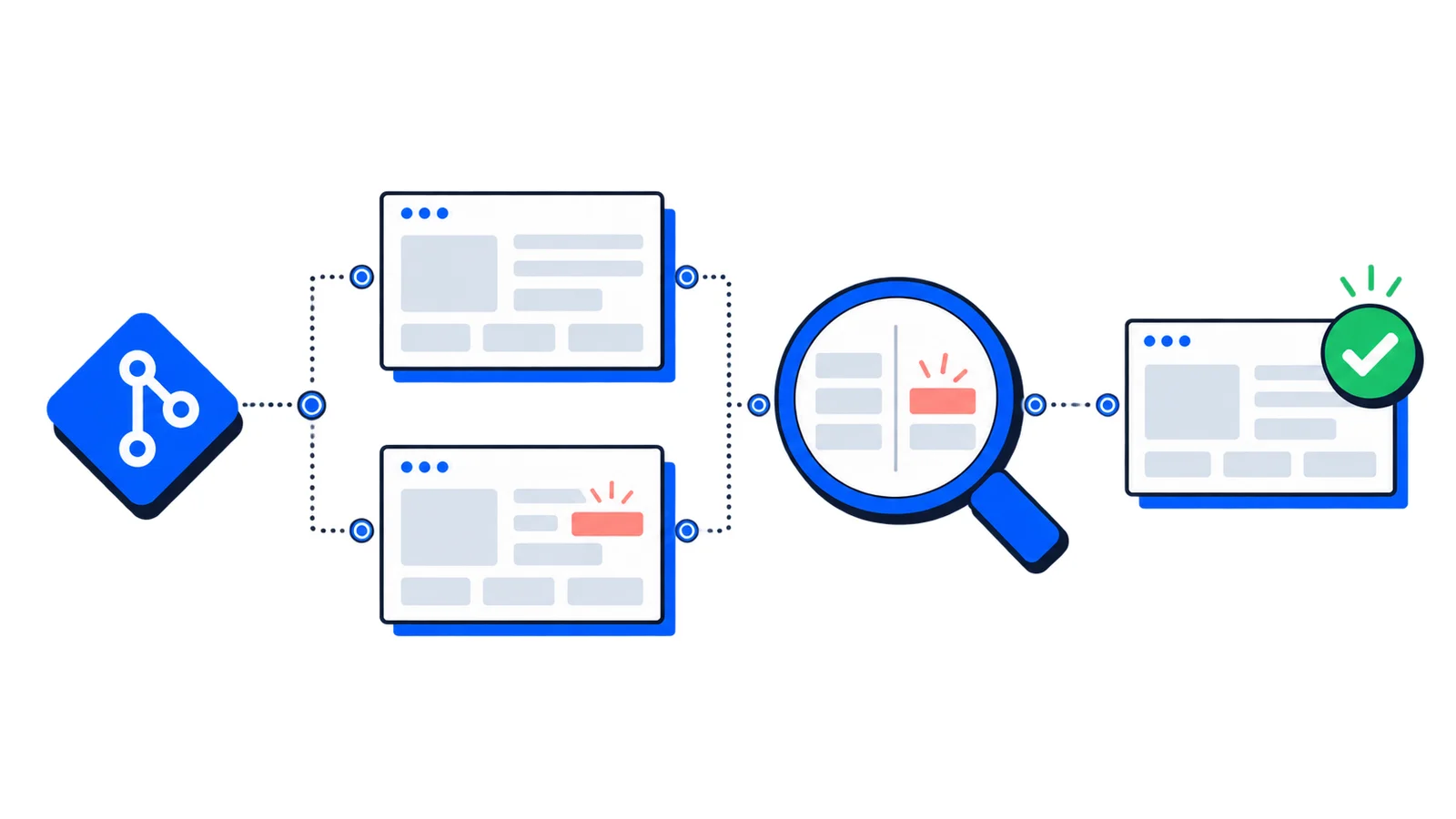
On pull requests: Review visual changes alongside code changes
Before deployment: Final verification before releasing
After deployment: Verify production matches expectations
Most teams integrate visual tests into CI/CD pipelines, running them on every pull request. This catches visual regressions at the same point where code review happens.
Key Challenges
Visual testing sounds simple in theory. In practice, several challenges make it harder:
Dynamic content
Timestamps, user avatars, ads, and personalized content change between captures. Each capture looks different even when nothing is broken.
Solutions:
Mock dynamic data with consistent values in tests
Hide or mask dynamic regions during comparison
Use snapshot dates frozen to specific times
Animations
Capturing mid-animation produces different results each time. A loading spinner in frame 3 versus frame 7 looks like a failure.
Solutions:
Disable animations during test captures
Wait for animations to complete before capturing
Use prefers-reduced-motion media query to serve static versions
Environment differences
Different browsers, operating systems, and screen resolutions render content differently. Tests passing locally may fail in CI.
Solutions:
Run tests in containerized environments for consistency
Use cloud-based screenshot services with consistent infrastructure
Capture on multiple viewports but compare within the same environment
Test maintenance
Baselines need updating whenever you intentionally change the UI. Too many false positives lead teams to ignore results.
Solutions:
Make baseline updates part of the PR process
Organize tests by component for granular updates
Set appropriate diff thresholds to ignore sub-pixel variations
Visual Testing Approaches
Teams implement visual testing in different ways depending on their needs:
Component-level testing
Test individual components in isolation using tools like Storybook. Each component story becomes a visual test case.
Best for: Design systems, component libraries, teams with mature component architecture.
// Button.stories.jsexportconstPrimary=()=><Button variant="primary">Click me</Button>;exportconstSecondary=()=><Button variant="secondary">Click me</Button>;exportconstDisabled=()=><Button disabled>Click me</Button>;// Each story gets captured and compared
Page-level testing
Capture full pages or specific routes of your application. Tests real layouts with real component interactions.
Best for: Marketing sites, landing pages, applications where layout matters most.
User flow testing
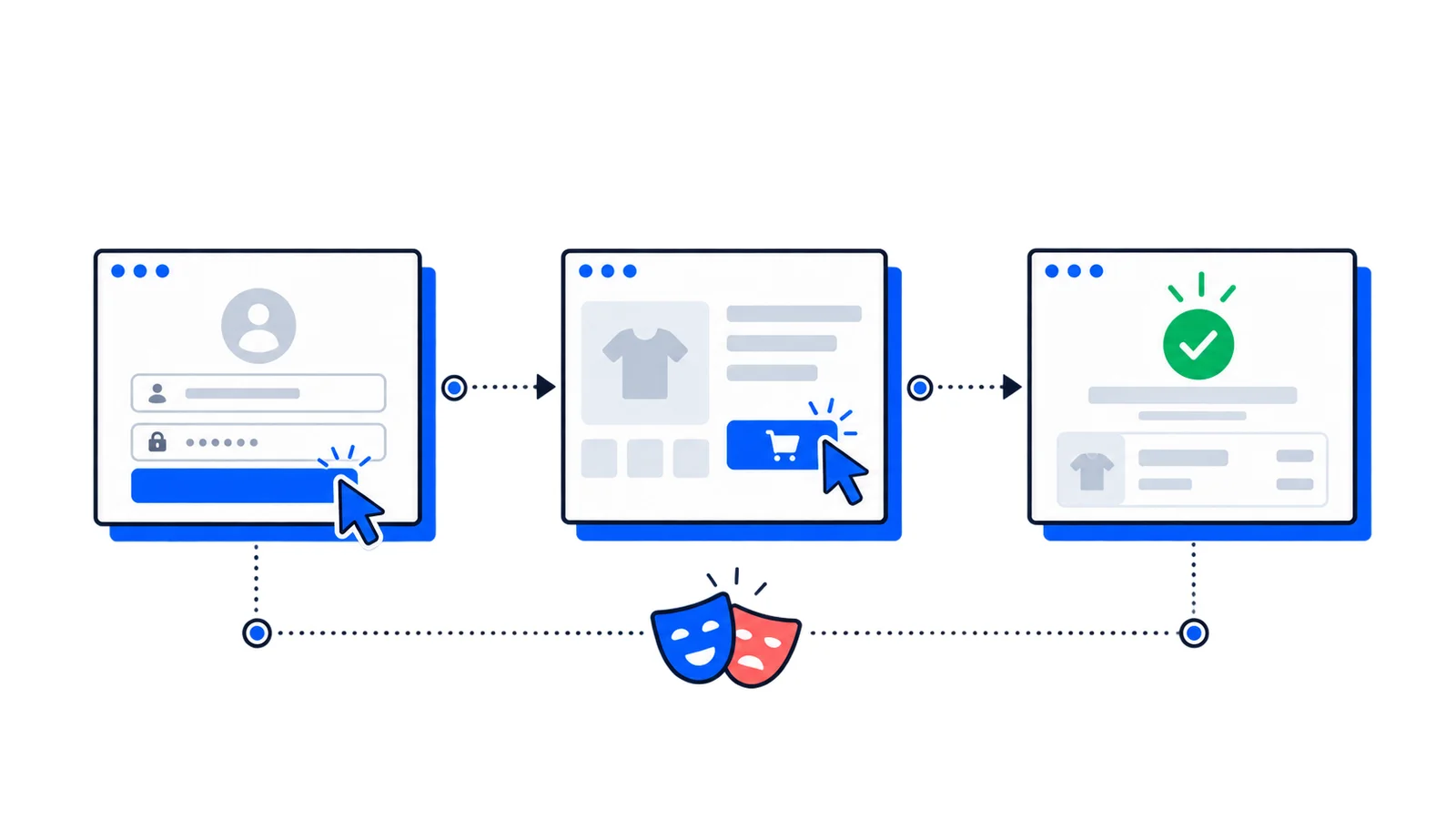
Capture screenshots at key points during E2E test execution. Verifies both functionality and appearance.
Best for: Teams already running E2E tests, critical user journeys.
Tools and Services
The visual testing ecosystem includes several categories:
Standalone visual testing
Percy (BrowserStack): Cloud-based, integrates with popular frameworks
Chromatic: Built specifically for Storybook
Applitools: AI-powered comparison with cross-browser support
BackstopJS: Open-source, runs locally or in CI
Custom pipelines with screenshot APIs
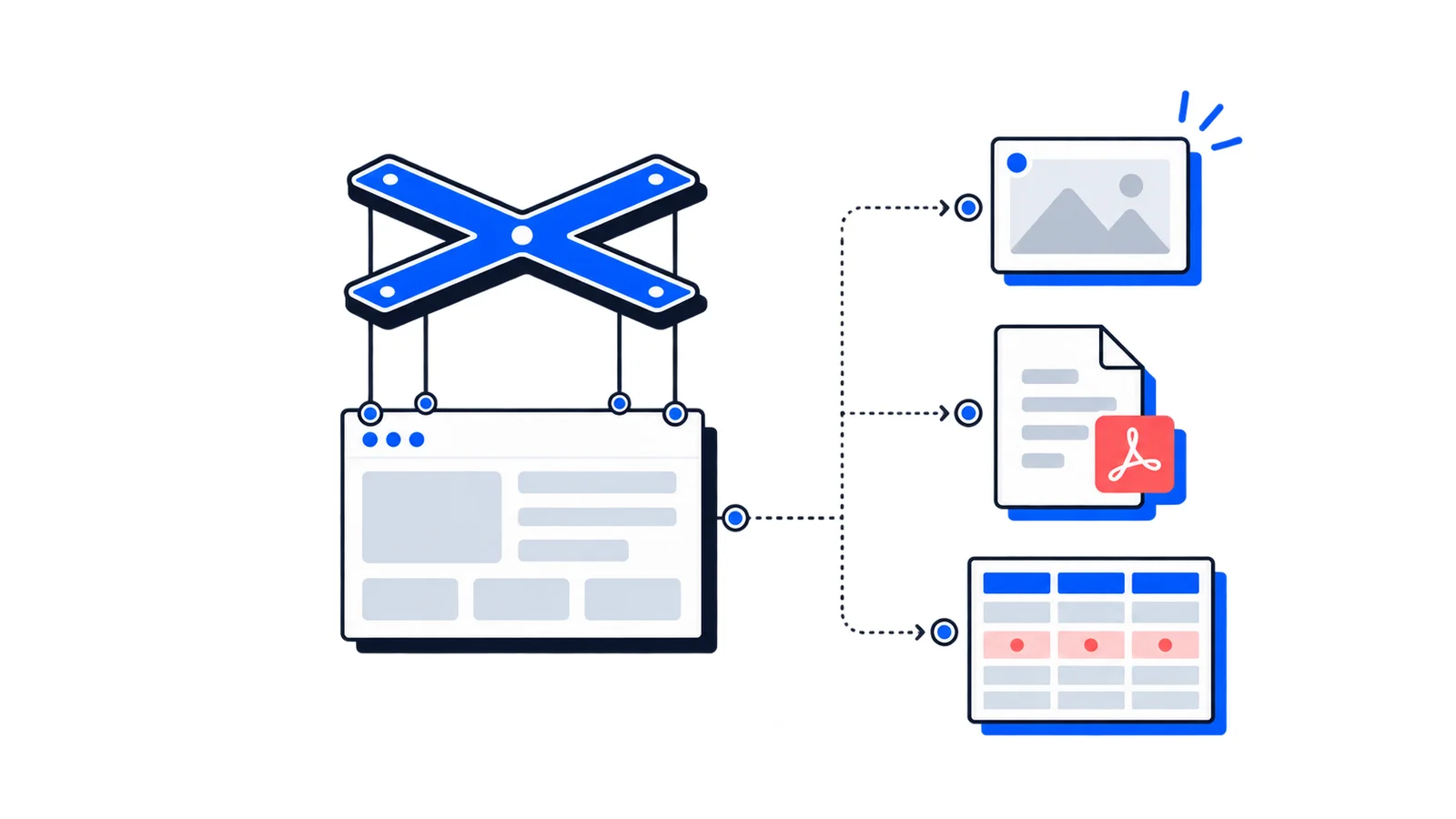
You can also build custom visual testing pipelines using the AllScreenshots API combined with image diffing libraries. This gives you full control over capture settings, comparison logic, and integration with your existing CI/CD workflow.
# Capture baselinecurl-X POST 'https://api.allscreenshots.com/v1/screenshots'\-H'X-API-Key: your-api-key'\-H'Content-Type: application/json'\-d'{"url": "https://your-app.com", "fullPage": true}'\-o baseline.png
# Capture after changescurl-X POST 'https://api.allscreenshots.com/v1/screenshots'\-H'X-API-Key: your-api-key'\-H'Content-Type: application/json'\-d'{"url": "https://staging.your-app.com", "fullPage": true}'\-o current.png
# Compare with any image diff tool
Playwright: Built-in screenshot comparison with toHaveScreenshot()
Cypress: Plugins like cypress-image-snapshot
Puppeteer: Capture screenshots, use external diff tools
These tools can also integrate with the AllScreenshots API for consistent, cloud-based captures instead of relying on local browser rendering.
Getting Started
If you're new to visual testing, start small:
Pick your highest-value pages: Homepage, checkout, login, dashboard. These matter most and change less frequently than feature pages.
Choose consistent capture settings: Fix viewport size, disable animations, use stable test data. Consistency prevents false positives.
Integrate with CI: Run visual tests on pull requests. Make reviewing visual changes part of code review.
Define your threshold: Start with strict (0.1% difference) and loosen if false positives become a problem. Different pages may need different thresholds.
Build the habit: Review visual diffs like you review code changes. Approve intentional changes, investigate unexpected ones.
When Visual Testing Matters Most
Visual regression testing provides the most value when:
Multiple developers touch shared styles: CSS changes from one team member affect another's work
Frequent deploys: More changes mean more opportunities for visual bugs
Design consistency is critical: Brand guidelines, accessibility requirements, pixel-perfect designs
Large codebases: Impossible to manually verify every page after each change
Component libraries: Changes ripple to all consuming applications
It provides less value when:
UI changes constantly and intentionally (early-stage products)
The application is mostly functional with minimal styling
The team is very small and changes are easily reviewed manually
Conclusion
Visual regression testing catches an entire class of bugs that other testing methods miss. By comparing screenshots before and after changes, you catch unintended visual modifications before users do.
The approach works best when integrated into your existing workflow: capture screenshots in CI, compare against baselines, and review differences alongside code changes. Start with critical pages, maintain consistent capture environments, and treat visual changes as explicitly as code changes.
Your users experience your application visually. Visual regression testing helps ensure that experience stays consistent.