Screenshot
screenshotPNG, 1280 × 800, 294 KB
The viewport, the full page or one element, as PNG, JPEG or WebP.
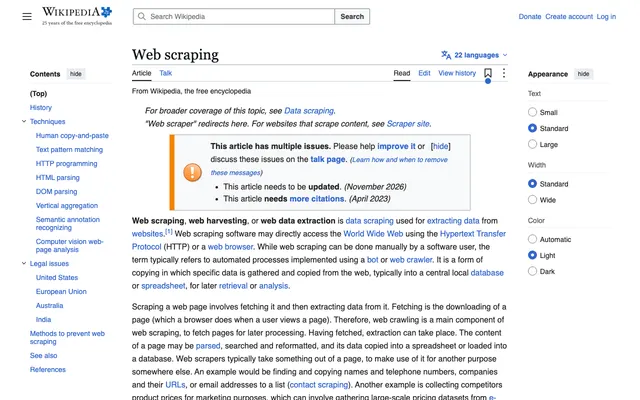
Add an outputs array to a screenshot request. The page loads once, every output is read from that same page, and the request costs one credit.
Up to 10 outputs per request. No credit card for the Free plan.
{
  "url": "https://en.wikipedia.org/wiki/Web_scraping",
  "viewport": {
    "width": 1280,
    "height": 800
  },
  "outputs": [
    {
      "type": "screenshot",
      "format": "png"
    },
    {
      "type": "markdown"
    },
    {
      "type": "json"
    }
  ]
}outputs.screenshot: image/png · 294 KB
Toggle outputs to see the request change. The responses are from one real request to the Wikipedia article on web scraping.
What that one request returned, rendered in 7.2 seconds.
1 request
POST /v1/screenshots with outputs1 page load
screenshotPNG, JPEG or WebPpdfapplication/pdfhtmlcleaned page HTMLmarkdownmain contentjsonselectors, page data or AIscreenshotPNG, 1280 × 800, 294 KB
The viewport, the full page or one element, as PNG, JPEG or WebP.
pdfA4, 9 pages, 306 KB
The page as the browser prints it, backgrounds included.
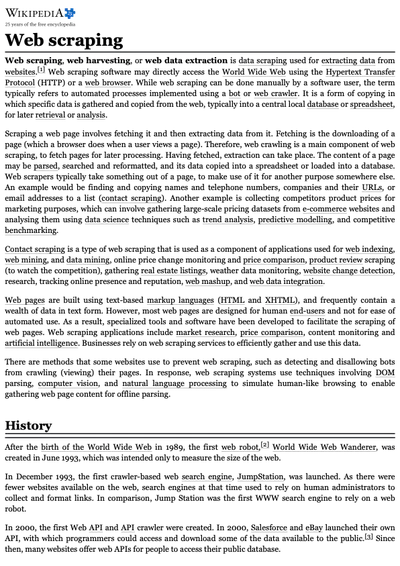
html419 KB
The page with scripts removed, styles kept and every link made absolute. Or just the article.
markdown49 KB, article only
The main content without menus and footers, plus the title, author and publish date it found.
json41 KB in auto mode
The page’s own data, the fields your CSS selectors point to, or a JSON Schema filled in by AI.
A JSON output can read the page's own data, follow your selectors, or fill in a schema with AI. We ran all three.
mode: autoYou want the page’s own data with no setup.
{ "type": "json" }Real result: Title, canonical URL, a JSON-LD Article, 20 headings, 426 links and 5 images from the Wikipedia article.
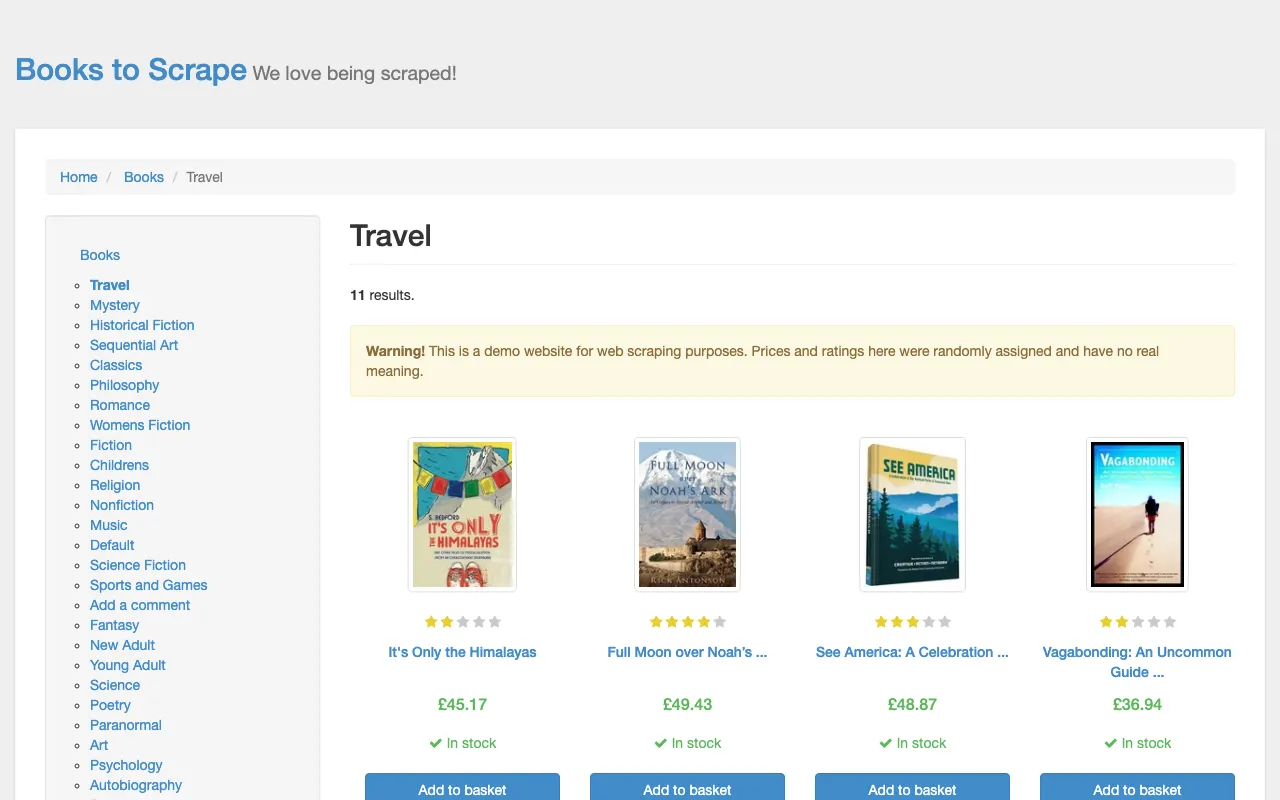
mode: selectorYou know the page and want the same fields every time.
{ "type": "json", "schema": {
  "books": { "selector": "article.product_pod", "multiple": true,
    "fields": { "title": { "selector": "h3 a", "type": "attribute", "attribute": "title" },
                "price": { "selector": ".price_color" } } } } }
Real result: 11 books with title, price, stock and full URLs from a store listing, in 6.0 seconds.
mode: aiYou want specific fields without writing selectors.
{ "type": "json", "mode": "ai", "schema": {
  "type": "object",
  "properties": { "techniques": { "type": "array", "items": { "type": "string" } } } } }
Real result: A summary, 8 techniques and 9 court cases with years from the same article, using one AI extraction.
| Comparison | Five separate tools | Allscreenshots outputs |
|---|---|---|
| Page loads | One per tool, often 5 | 1 |
| Screenshot and text match | Not guaranteed: the page can change between loads | Yes: they come from the same page load |
| Requests to make | 5, plus glue code | 1 |
| Pages that need JavaScript | Only the tools that run a browser see them | Every output sees the rendered page |
| Ads, cookie banners, popups | Each tool handles them, or not | Blocked once for all outputs |
| Cost | A bill or a quota per tool | 1 screenshot credit |
A request with outputs counts as one screenshot. Only AI-mode JSON uses something extra: one AI extraction from your monthly allowance.
curl -X POST https://api.allscreenshots.com/v1/screenshots \
  -H "X-API-Key: YOUR_API_KEY" \
  -H "Content-Type: application/json" \
  -d '{
    "url": "https://en.wikipedia.org/wiki/Web_scraping",
    "outputs": [
      { "type": "screenshot", "format": "png" },
      { "type": "pdf", "format": "A4" },
      { "type": "html" },
      { "type": "markdown" },
      { "type": "json" }
    ]
  }'
The response is JSON with one entry per output, in type order. Images and PDFs are base64, Markdown and HTML are strings, JSON is an object, and each output has a download URL that works for 7 days.
One screenshot credit, however many outputs it has, up to 10. A JSON output in AI mode also uses one AI extraction from your plan’s monthly allowance. Failed requests are free.
Every plan, Free included.
Yes. Give each output an id, for example a full-page screenshot and a screenshot of one element. Each output has its own options.
By type: screenshot, PDF, HTML, Markdown, JSON, whatever order you send them in. Read each one by its id.
The others still come back. A selector that matches nothing returns null, an invalid selector is listed in that output’s errors, and an AI output that can’t be filled returns an error without using an extraction.
Yes. Async jobs, every item of a bulk request and every scheduled run store all outputs, each with its own download URL. Outputs are kept for 7 days.
Stealth mode and AI cleanup. Everything about loading the page, such as blocking, actions, sessions, waits and dark mode, works as usual.
Outputs give you one page in up to ten forms. The website crawler follows a site’s links and captures up to 100 pages, each as a screenshot, HTML, Markdown and a JSON page document.
Every plan has outputs, Free included. For a whole site, use the website crawler.