Find out how easy it is to capture and share pixel-perfect screenshots at scale using Allscreenshots. Sign up for a free account and start integrating your first screenshot API call today.
Most screenshots come out clean. Ads, cookie banners and popups are blocked by default, and on most pages that's enough.
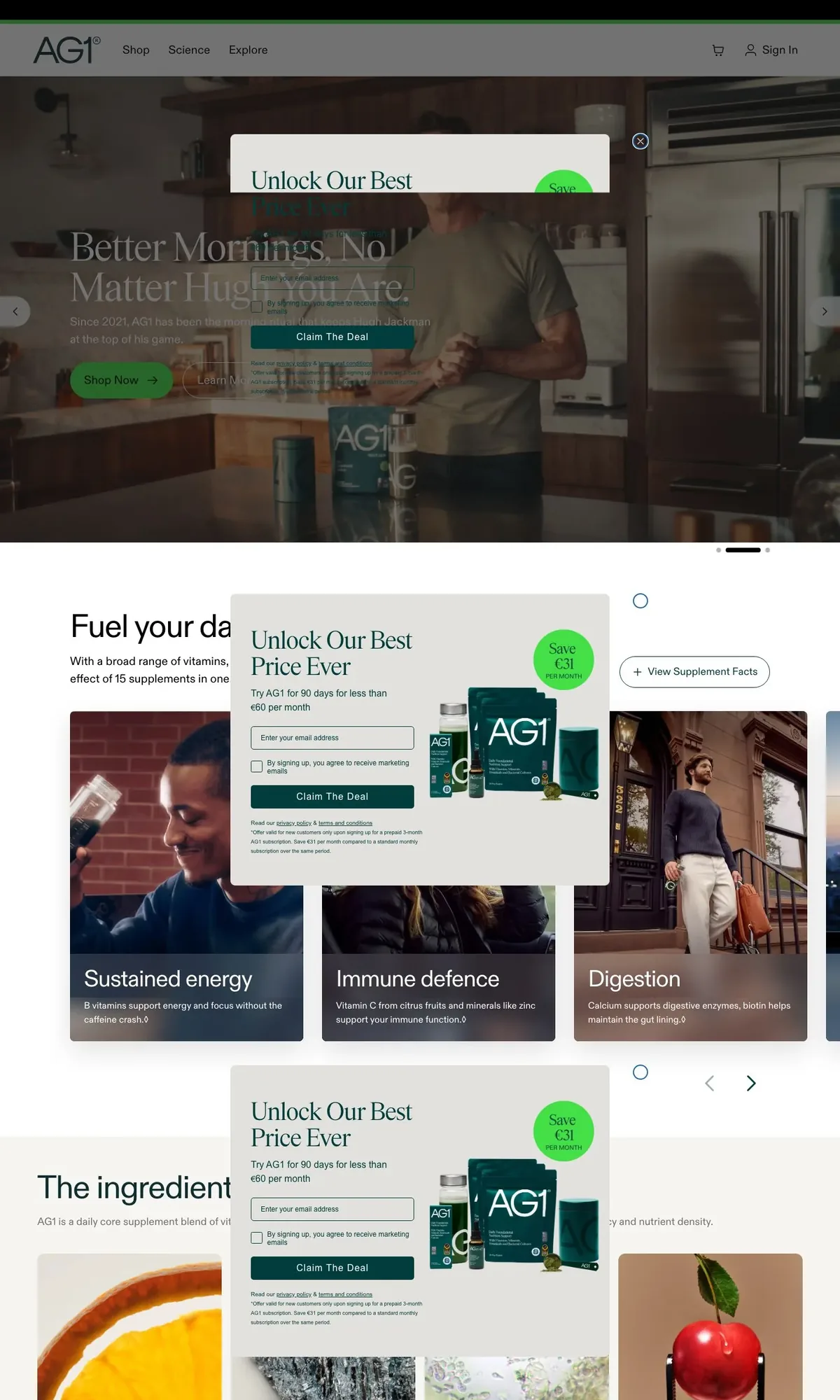
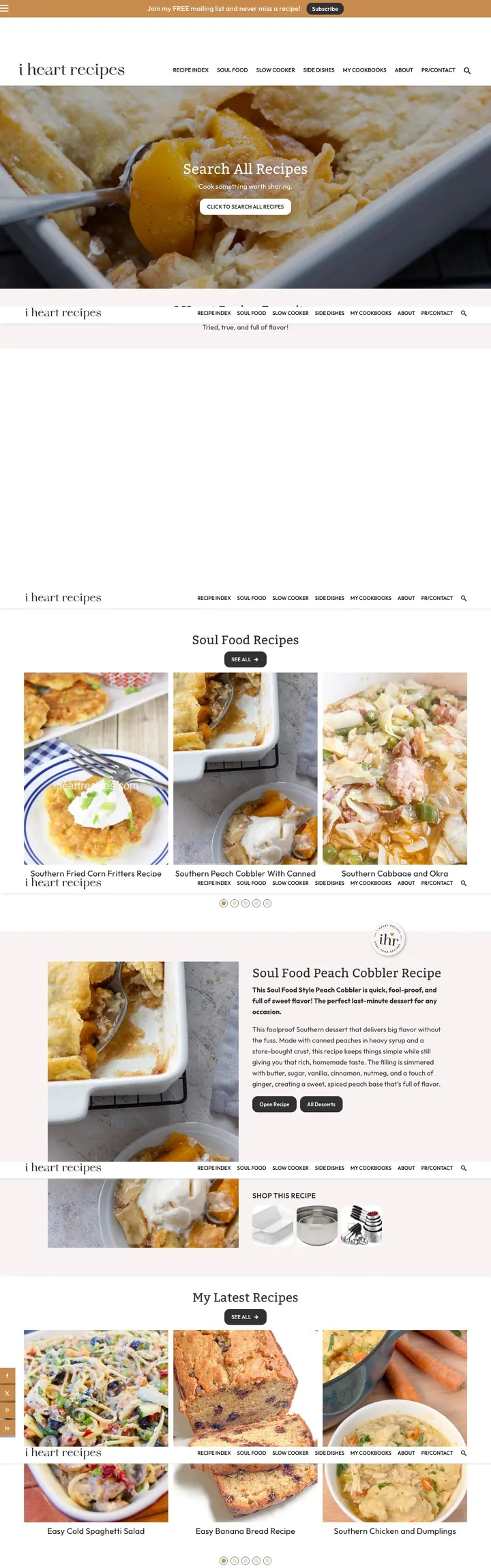
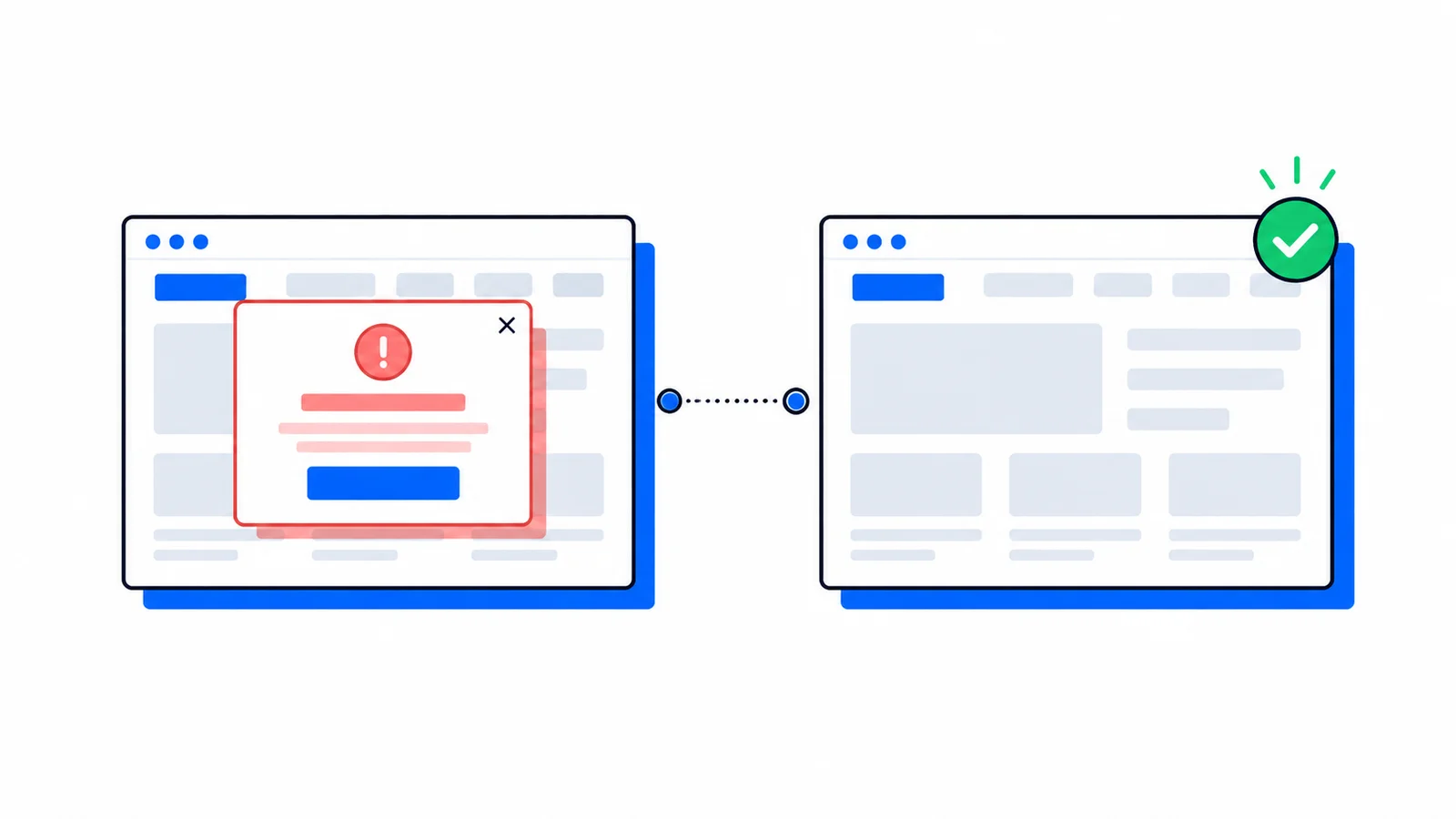
We keep a list of the pages where it isn't. One news site parks a video player on top of its article list. A supplement store has a discount popup that follows the scroll, so a full-page capture shows it over and over. On a recipe blog the sticky header ends up on top of every section title. And when an ad is blocked, the tall empty box it sat in often stays.
Until now the fix was to pass your own hideSelectors for each site, which means finding the right selector on every page and finding it again after the site ships a redesign.
So we built AI cleanup. Add aiCleanup: true to a screenshot request and these problems are removed before the image comes back.
curl-X POST https://api.allscreenshots.com/v1/screenshots \-H"X-API-Key: YOUR_API_KEY"\-H"Content-Type: application/json"\-d'{"url":"https://example.com/article","fullPage":true,"aiCleanup":true}'\--output capture.webp
We captured each page below twice with the same request, once with aiCleanup: true and once without. The AI cleanup page has the same pairs with a slider you can drag.
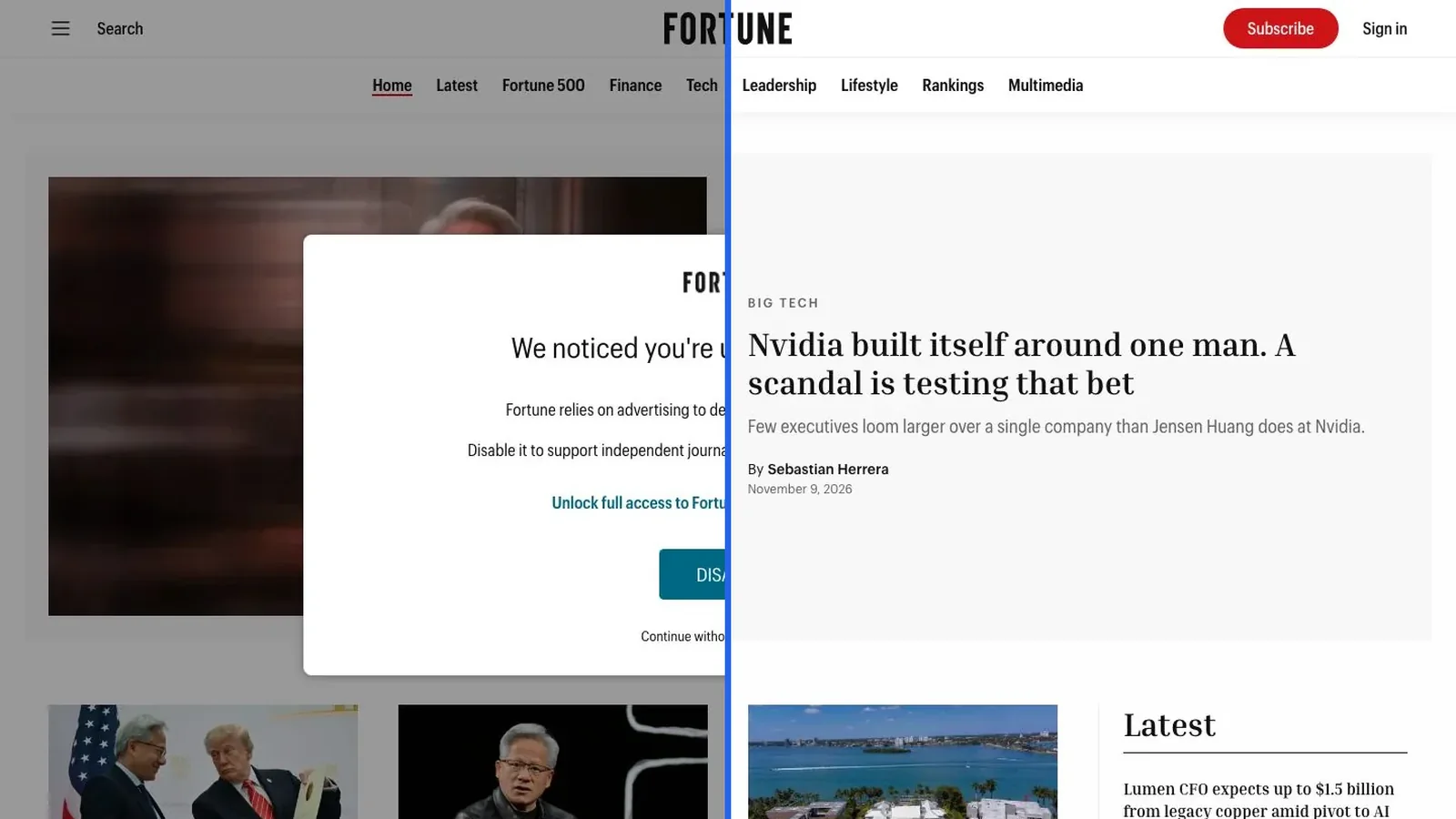
A popup that dims the page
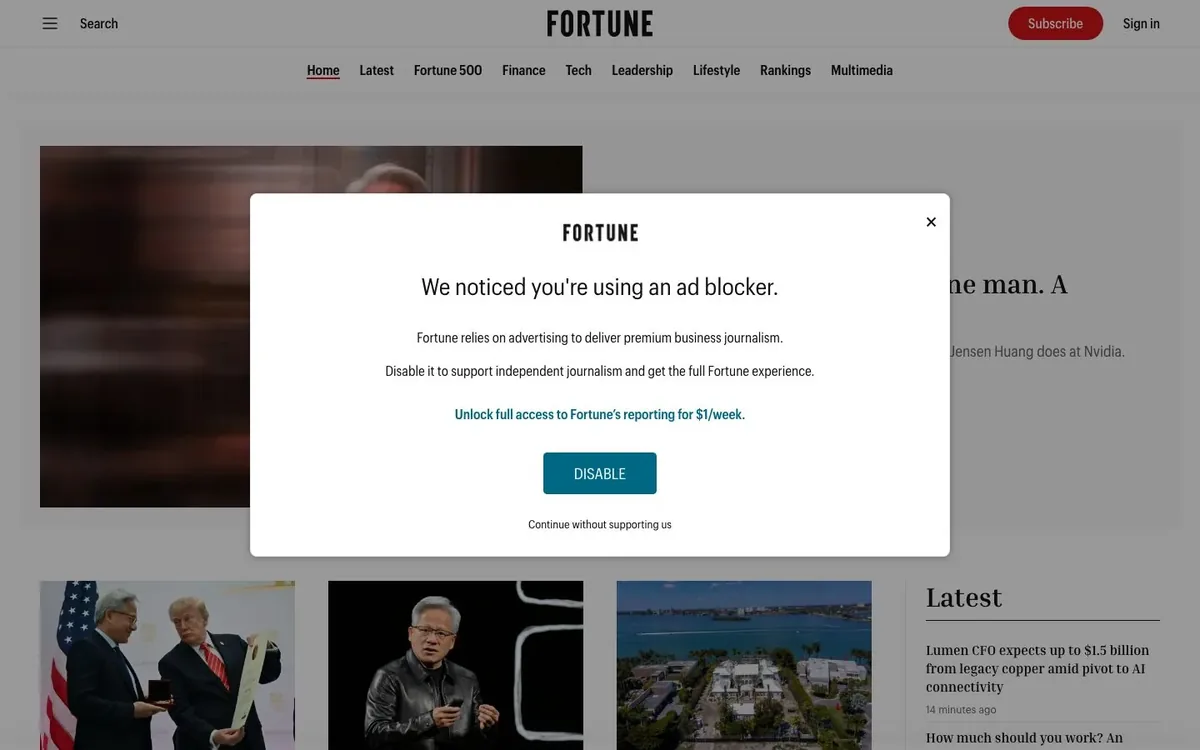
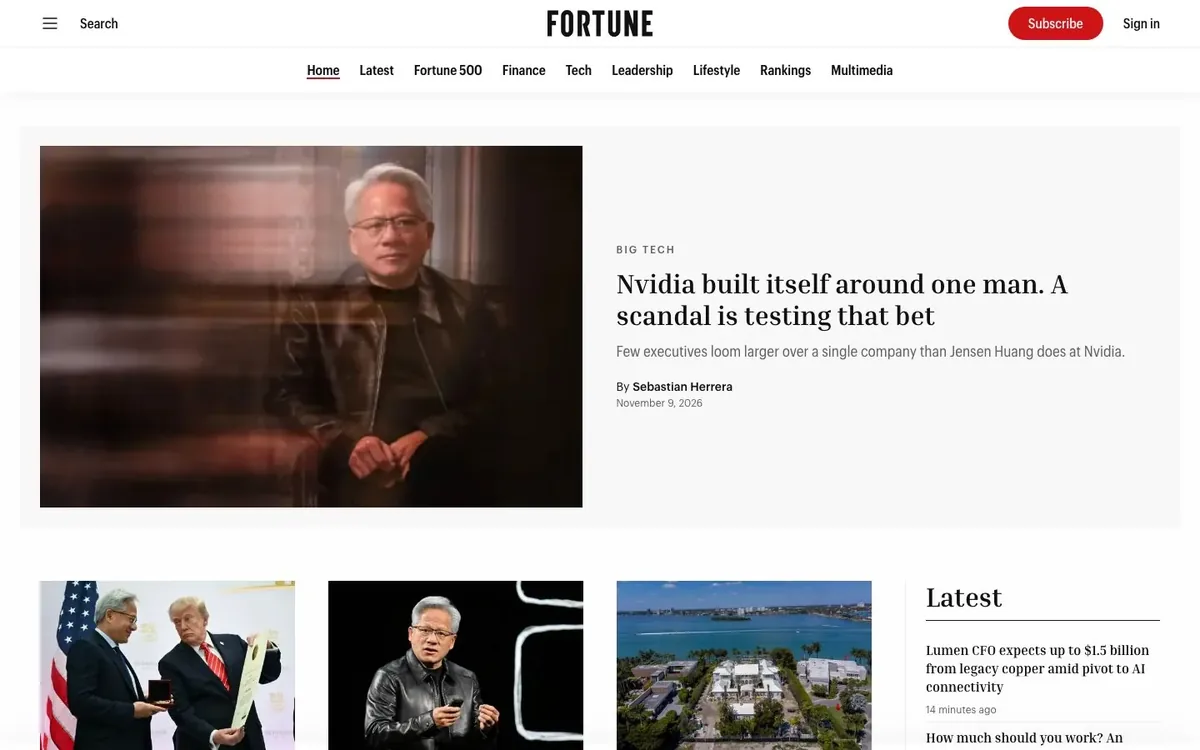
Fortune shows an ad-blocker notice and greys out the homepage behind it. With the option on, you get the homepage.
BeforeWith AI cleanup
A floating video player
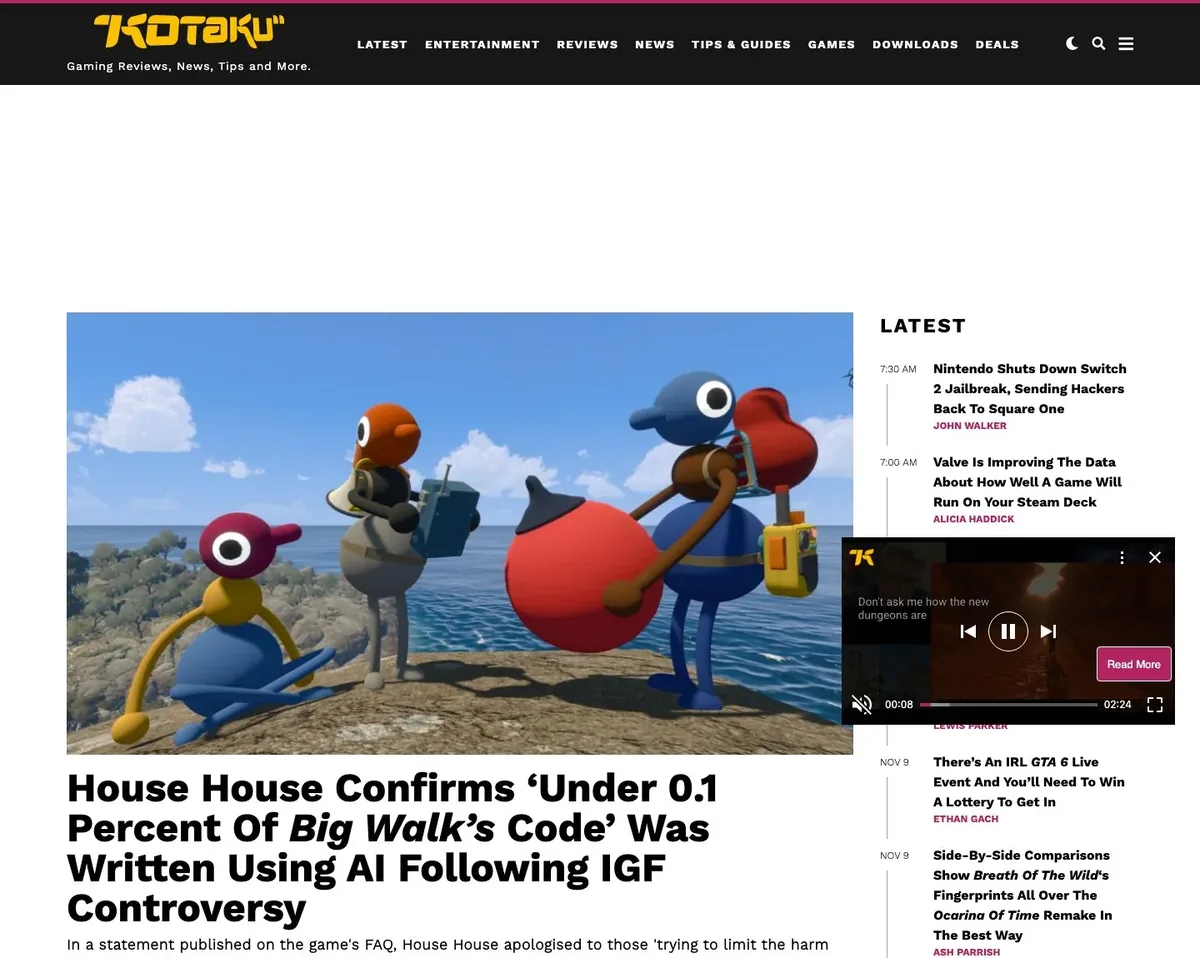
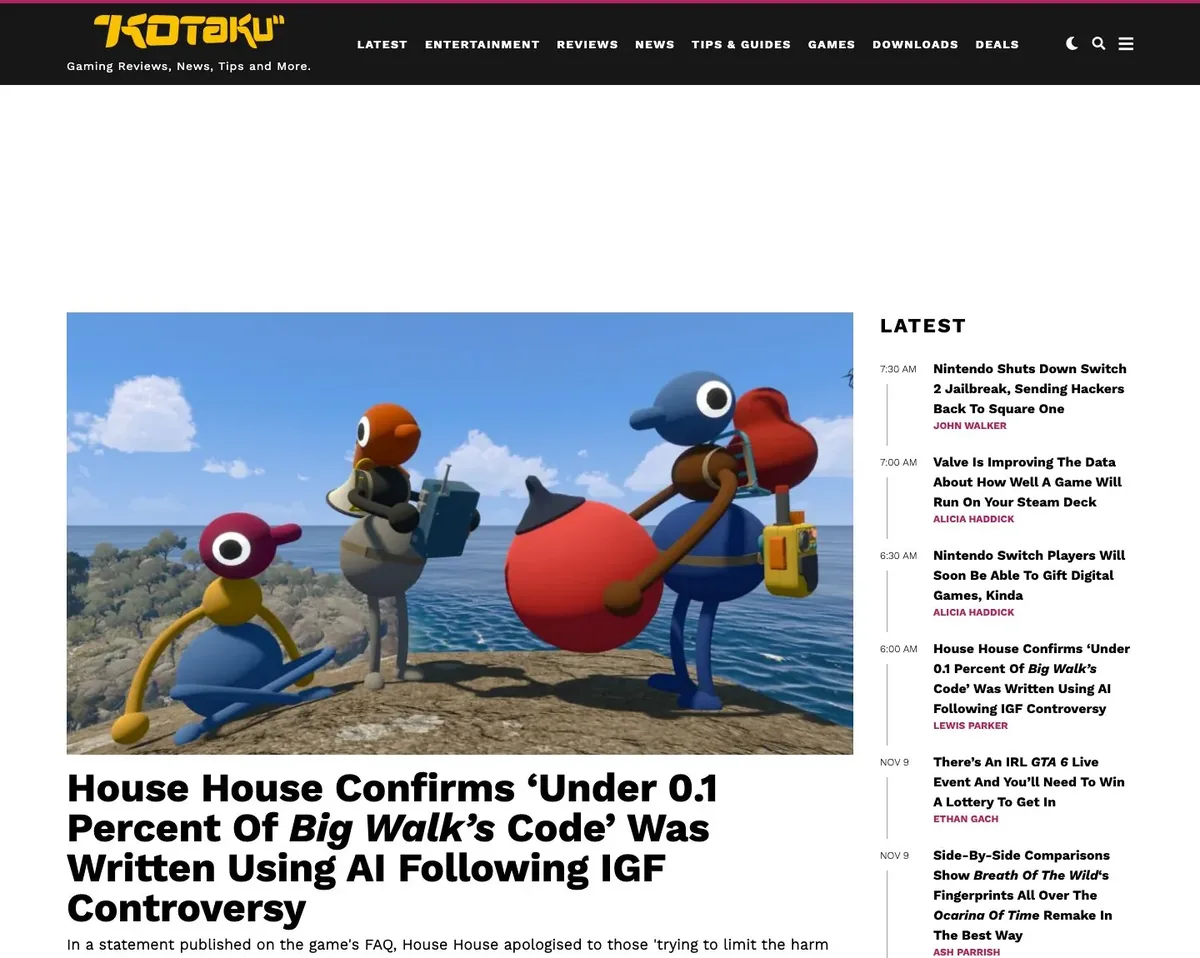
Kotaku's video player floats over the Latest column and hides some of the headlines. On the right it's gone and you can read them.
BeforeWith AI cleanup
One popup, repeated down the page
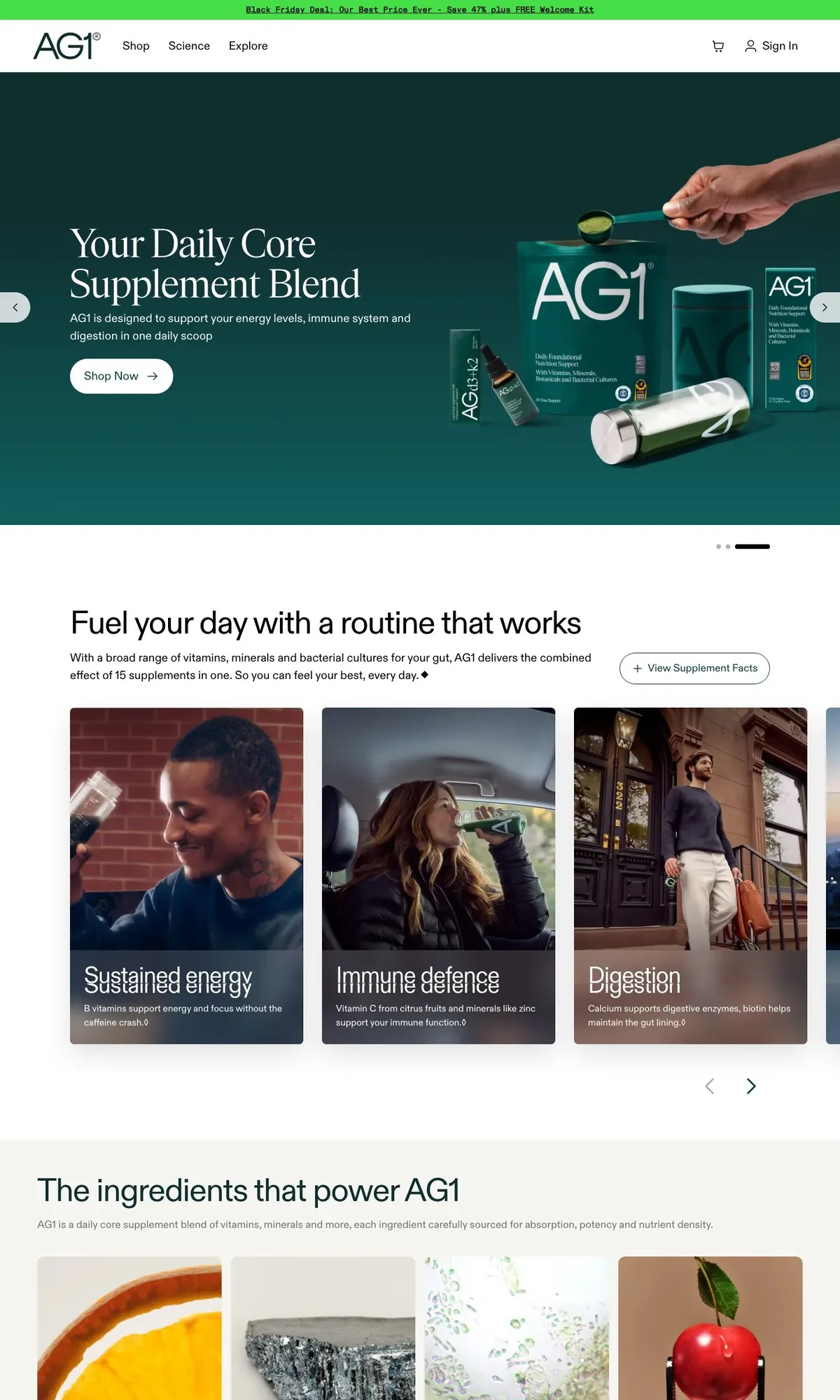
AG1's discount popup stays on screen while the page scrolls, so a full-page capture has a copy over every section. All of them are removed, along with the dark overlay on the hero.
BeforeWith AI cleanup
A sticky header in every section
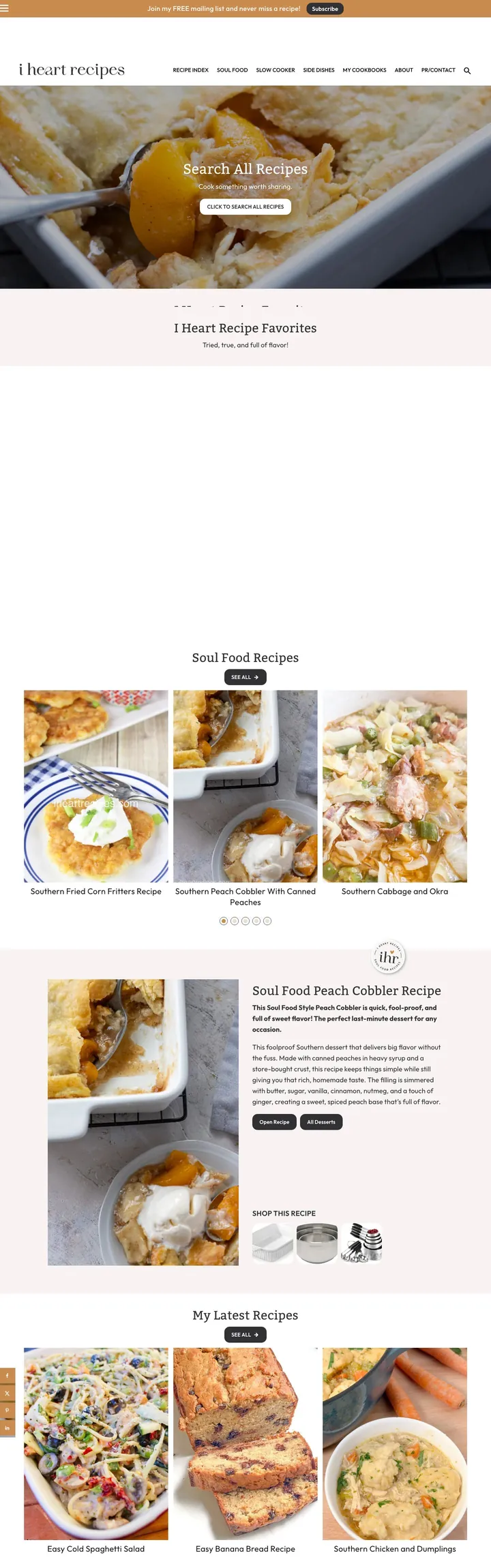
On this recipe site the navigation bar follows the scroll and lands on top of the content again and again. It's the same repeating sticky header you get from a full-page screenshot in Chrome. We didn't want to delete a site's header, so it's kept once, at the top.
BeforeWith AI cleanup
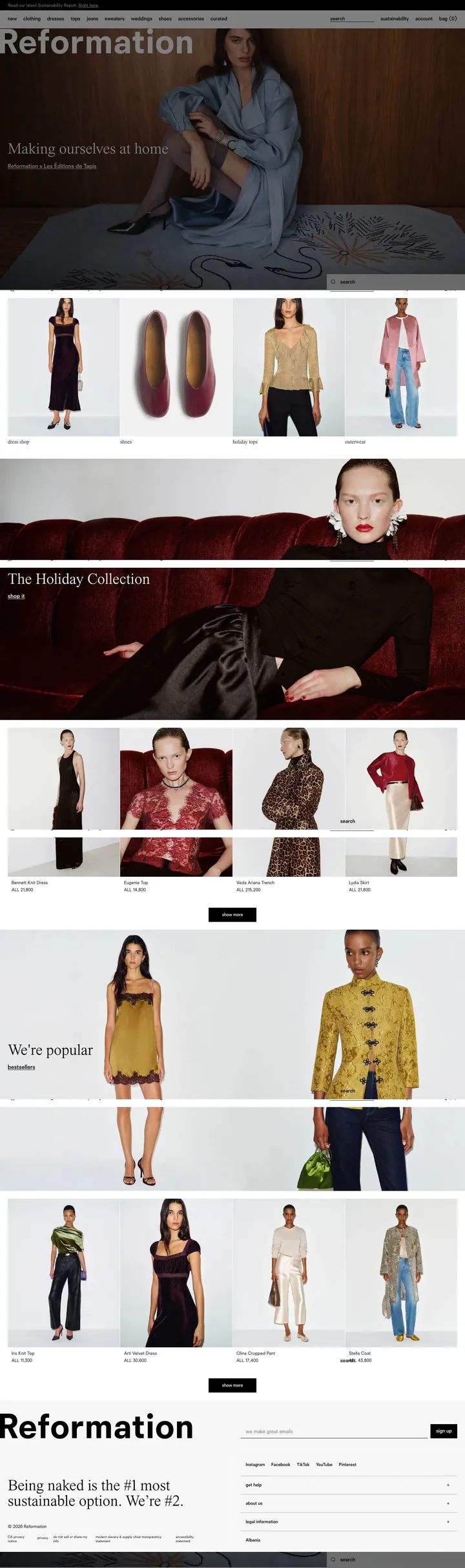
A sticky bar that cuts through photos
Reformation has a sticky search bar that leaves grey strips across the product photos. The photos on the right are whole.
BeforeWith AI cleanup
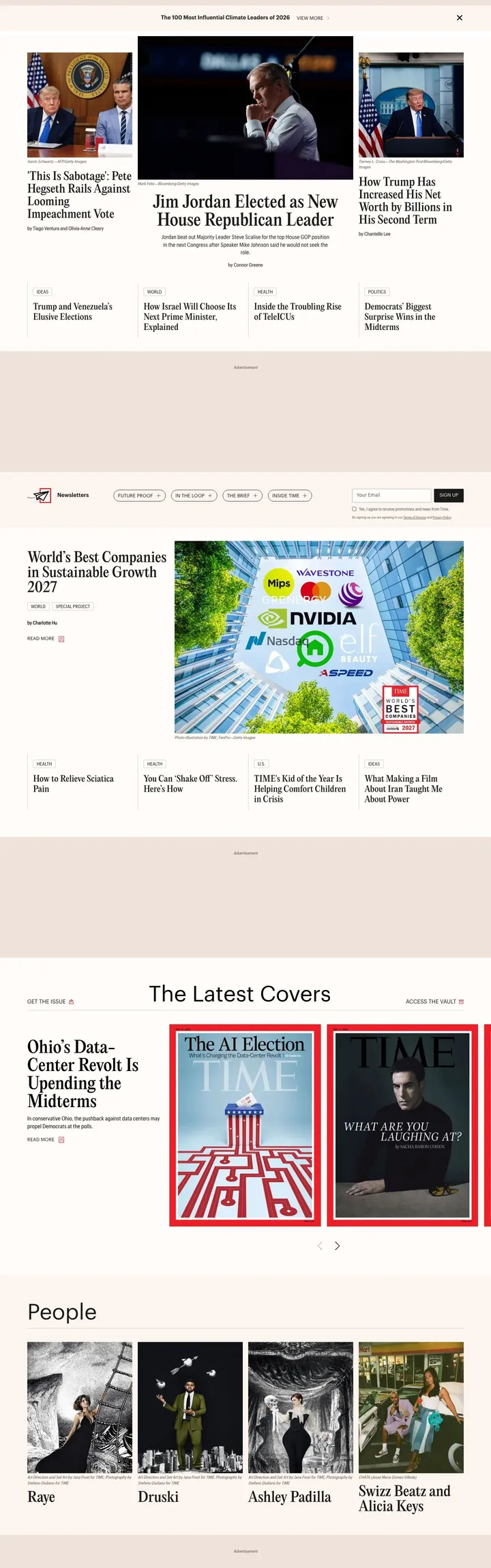
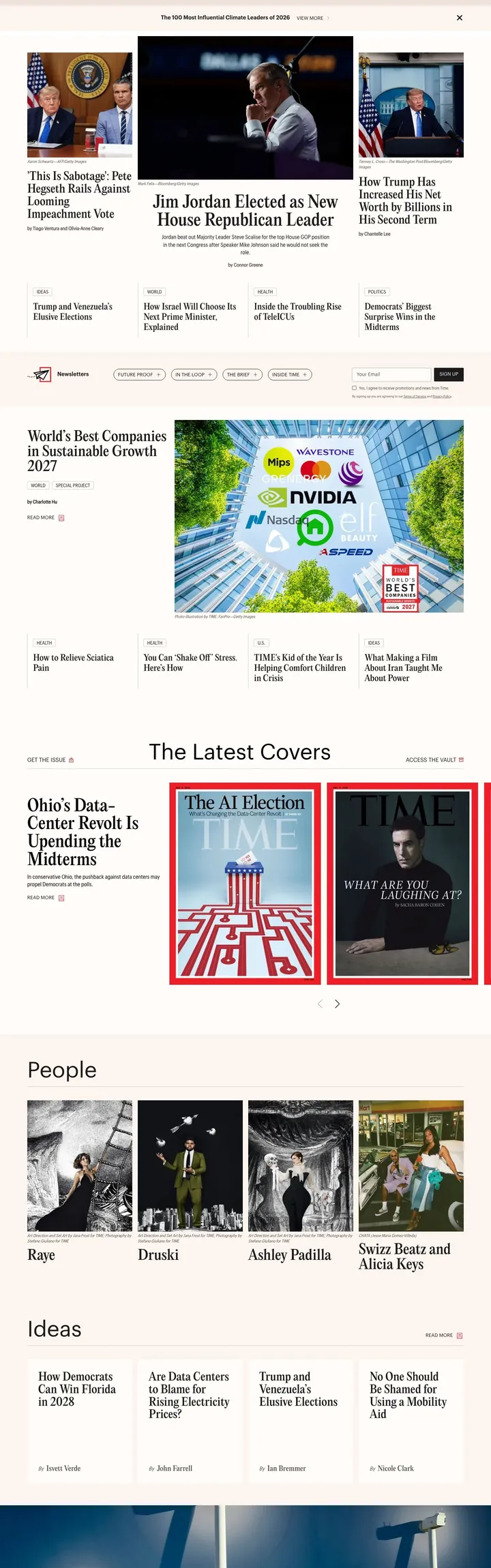
Empty boxes where the ads were
Time's homepage keeps a tall blank box wherever an ad was blocked. Once those close up, the same height of page shows a lot more of the homepage.
BeforeWith AI cleanup
What it leaves alone
The risk with a feature like this is that it removes something you wanted. Article images, product photos, videos that belong to the page and navigation that appears once are all left in place.
When a fix would damage the page, we throw the fix away and return the original capture. Turning the option on can't make a capture fail.
How to tell what it did
The response has an X-AI-Cleanup header. Async jobs return the same value in metadata.aiCleanup.
X-AI-Cleanup:repaired; issues=2; removed=3
Outcome
Meaning
repaired
Problems found and fixed. You get the cleaned capture
clean
Nothing to fix. The capture is unchanged
nothing_to_hide
Problems found, but nothing could be safely removed
rejected
A fix would have damaged the page, so you get the original capture
blocked
The page itself is a bot check or an error page
If you log the header, you'll see which of your pages needed fixing and which ones you still have to look at by hand.
Speed and limits
It's slower than a normal capture. Expect about 5 extra seconds on a page that turns out to be clean and 10–20 seconds when something gets fixed. Raise timeout for very long pages; our performance guide has suggested timeouts by page type.
Each plan has a monthly number of checks:
Plan
AI cleanup checks per month
Free
25
Starter
250
Pro
1,500
Business
10,000
Scale
25,000
Enterprise
Unlimited
You use a check when a capture has been looked at, even if nothing was removed. A check also counts as a normal screenshot. Cached results are free.
We wouldn't turn it on for every request. Most pages don't need it, and it adds time. Use it for the sites that keep giving you trouble.
What it can't do yet
You can use it on sync and async screenshots, viewport or full page, in the dashboard Playground and through the MCP server.
You can't combine it with stealth mode, PDF output, element capture with selector, or multiple outputs. Bulk, scheduled and composed captures don't have it yet.
It won't get you past a bot check either. If the page is a bot check, the outcome is blocked, and stealth mode is the tool for that. We covered it in the post on Cloudflare-protected sites.
It also misses things. Some pages will come back nothing_to_hide with the problem still visible. If you hit one, send us the URL.
With aiCleanup: true, the capture and basic page structure are sent to our AI provider, Anthropic. Nothing is sent when aiCleanup is off.
Try it
You probably have a URL that never comes out right. Open the Playground, switch on AI cleanup and capture that one first.
The guide lists every outcome and error, and the changelog entry has the short version.
 Best Practices
 Product Update
 Product Update